Best zkSync Wallets: Top Picks for Developers
ℹ Introduction To zkSync Wallets
By utilizing zkSync wallets, users can experience faster and cheaper transactions, making decentralized applications more accessible and efficient. With the ability to interact with DeFi platforms and other Ethereum-based applications, zkSync wallets offer a user-friendly gateway to the next generation of blockchain technology, where scalability and affordability meet the decentralized ethos of the Ethereum network.
How To Add The zkSync Network To Your Metamask Wallet
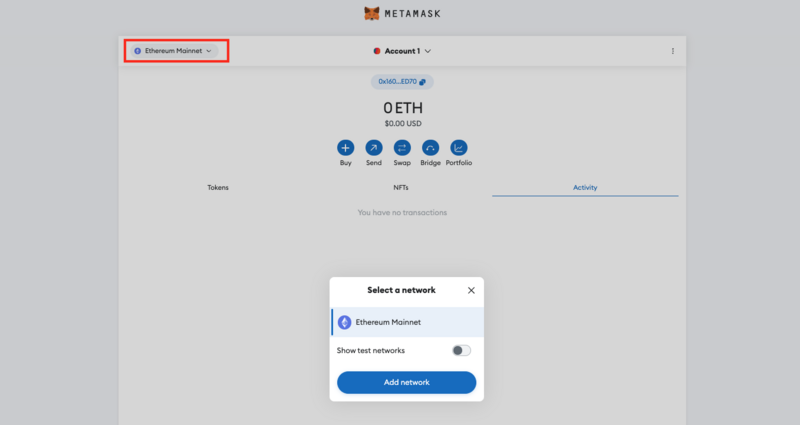
To access zkSync Era, you will need to manually add the network to your MetaMask wallet.
- Open the drop-down menu by clicking on the current network display; select “Add network” from the pop-up.
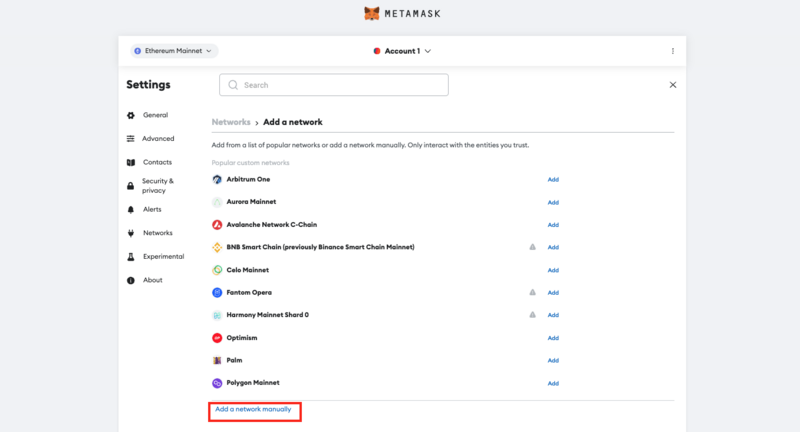
- Below the list of networks you can add automatically, click on “Add a Network Manually”.
- Fill in the following details in the form that pops up next.
- Network Name: zkSync Era Mainnet
- RPC URL: https://mainnet.era.zksync.io
- Chain ID: 324
- Currency Symbol: ETH
- Block Explorer URL: https://explorer.zksync.io/
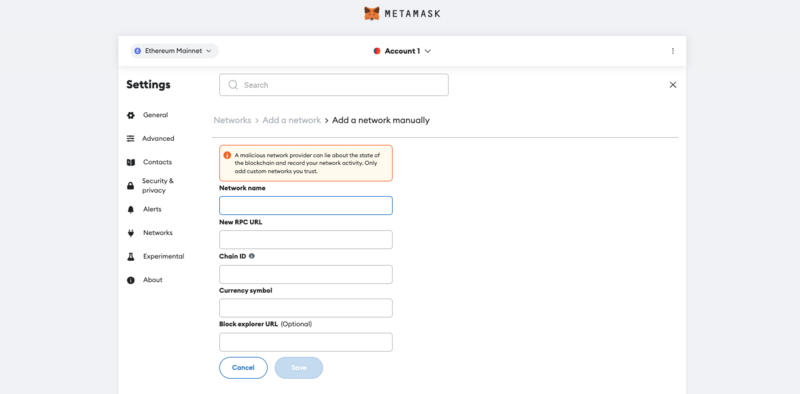
- Save the new network.
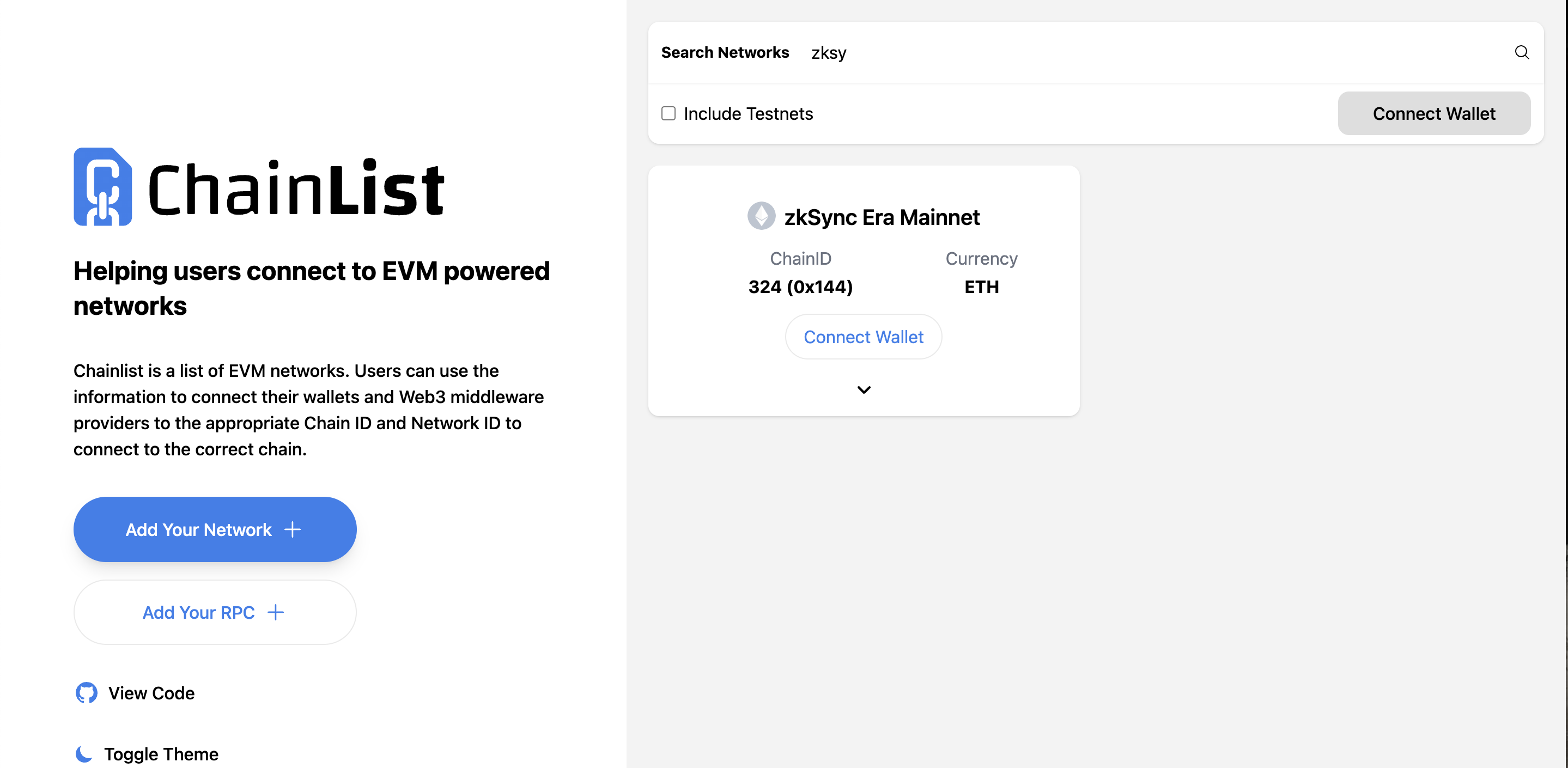
Alternatively, you can automatically add zkSync to your wallet address by using the ChainList application.
- Connect your MetaMask Wallet to theChainListapp.
- Input “zkSync” in the search bar at the top of the page.
- Click “Add to MetaMask”and zkSync Era will be automatically added to your wallet.