Best Sei Wallets: Top Picks for Developers
ℹ Introduction To Sei Wallets
Wallets are essential for managing assets and interacting with the Sei blockchain, with different options offering various features and security levels.
Manually importing a wallet using a mnemonic from an EVM-only app to a Cosmos-based app, or vice versa, is not recommended. Different Coin Types can cause mismatched wallet addresses and lead to unexpected issues.
How to Add the Sei Network to your Metamask Wallet
Sei can be added as a custom network to EVM-compatible wallets.
To add Sei as a custom network to MetaMask, follow these steps:
- Open the Metamask browser extension.
- Open the network selection dropdown menu by clicking the dropdown button at the top of the extension.
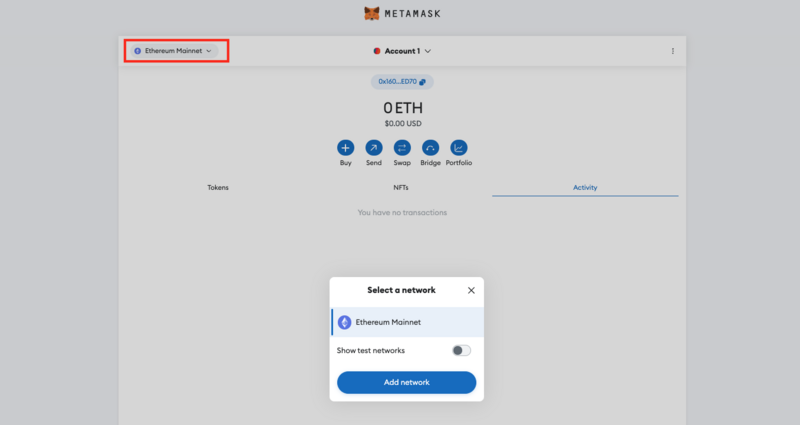
- Click the ”Add network”button.
- Click ”Add a network manually”.
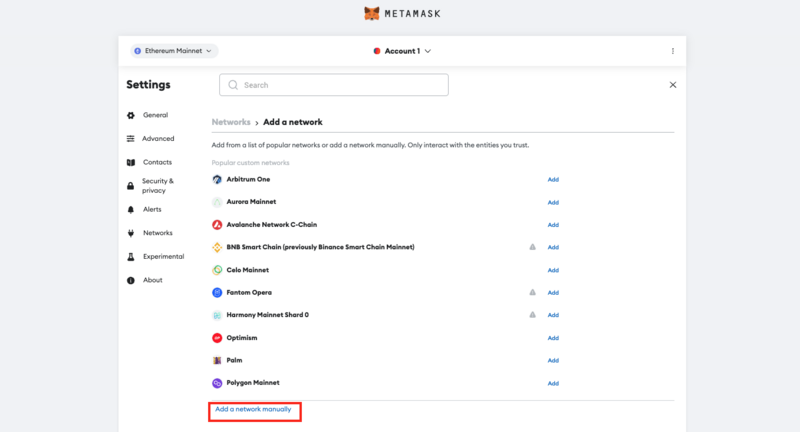
- In the dialogue box that appears, enter the following information for Base mainnet:
| Network Name | Sei EVM Network |
| Description | The public mainnet for Sei. |
| RPC Endpoint | https://evm-rpc.sei-apis.com/ |
| Chain ID | 1329 |
| Currency Symbol | SEI |
| Block Explorer | https://seitrace.com/ |
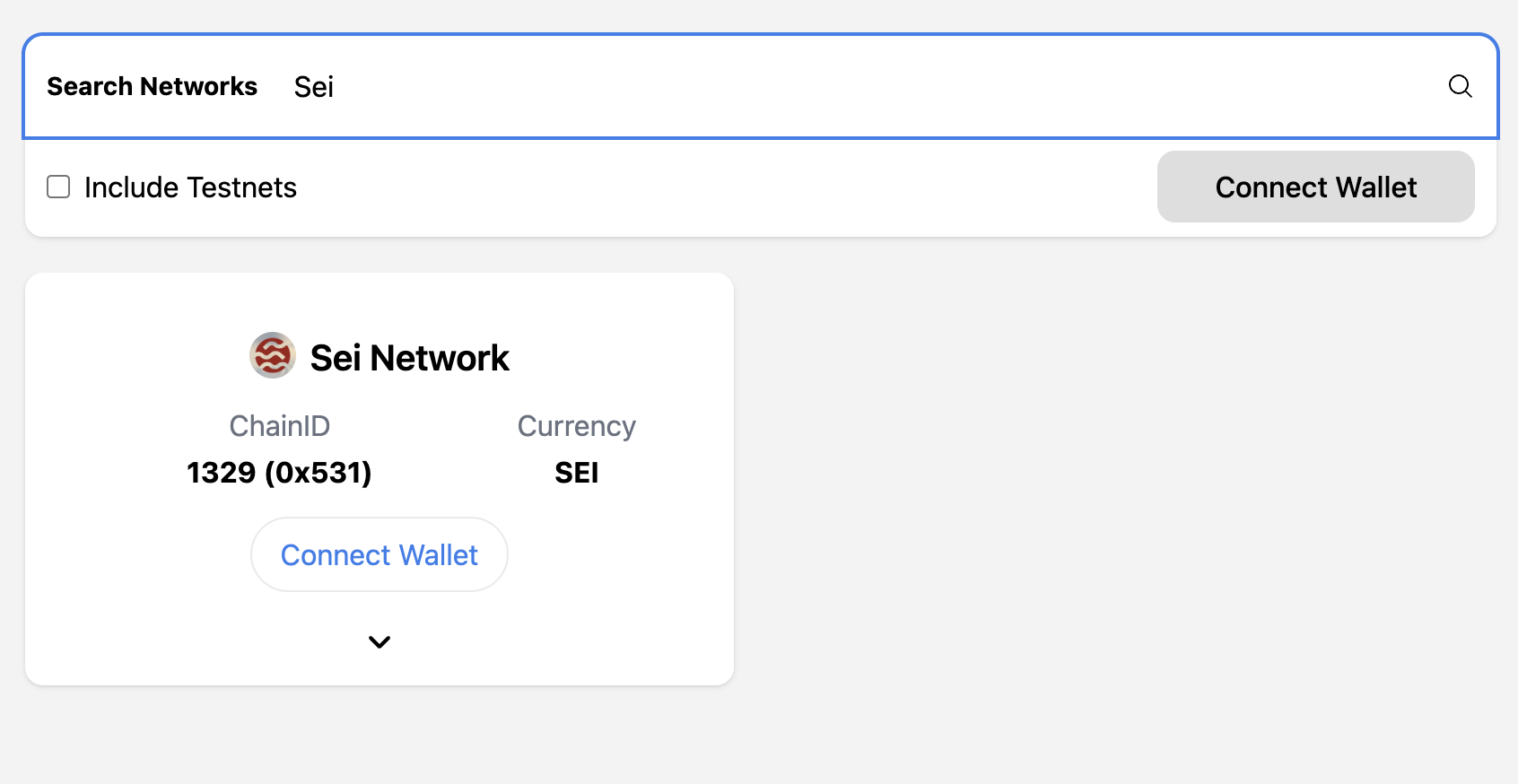
Alternatively, you can automatically add Sei to your wallet by using the ChainList application.
- Connect your MetaMask Wallet to theChainListapp.
- Input “sei” in the search bar at the top of the page.
- Click “Add to MetaMask”and Sei will be automatically added to your wallet.