Best Polygon zkEVM Wallets: Top Picks for Developers
ℹ Introduction To Polygon zkEVM Wallets
Wallets that support Polygon allow for key management, access to accounts controlled by private keys, and interfaces that allow users to perform chain actions and sign transactions.
Here’s an index for wallets compatible with the Polygon zkEVM.
How To Add The Polygon zkEVM Network To Your Metamask Wallet
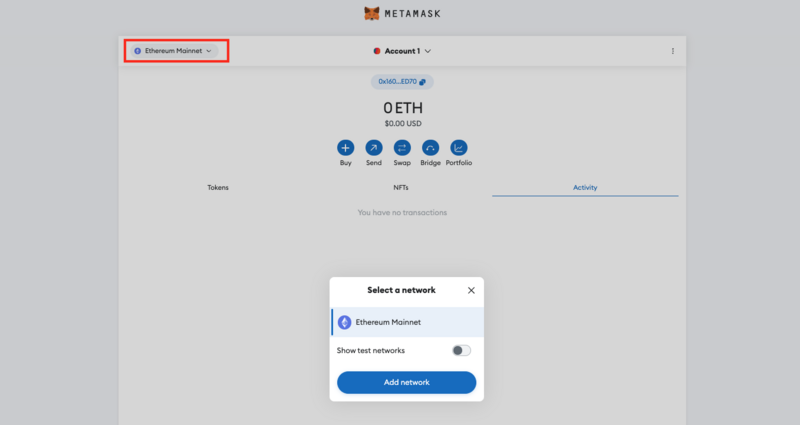
To access the Polygon zkEVM, you will need to manually add the network to your MetaMask wallet.
- Open the drop-down menu by clicking on the current network display; select “Add network” from the pop-up.
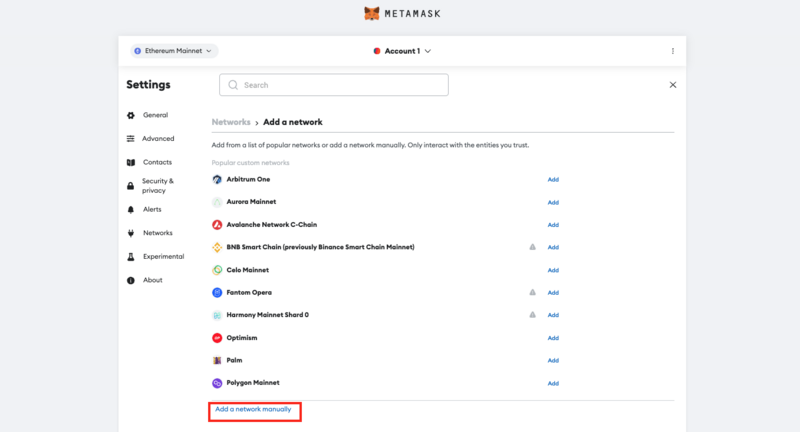
- Below the list of networks you can add automatically, click on “Add a Network Manually”.
- Fill in the following details in the form that pops up next.
- RPC URL:https://zkevm-rpc.com/
- Chain ID:1101
- Currency symbol:ETH
- Block explorer URL:https://zkevm.polygonscan.com/
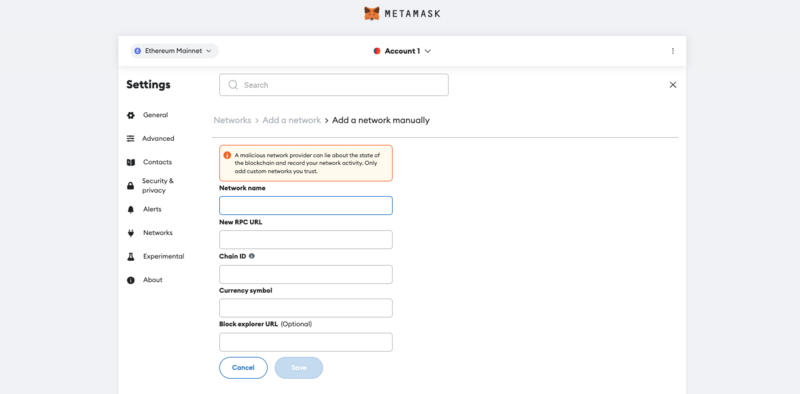
- Save the new network.
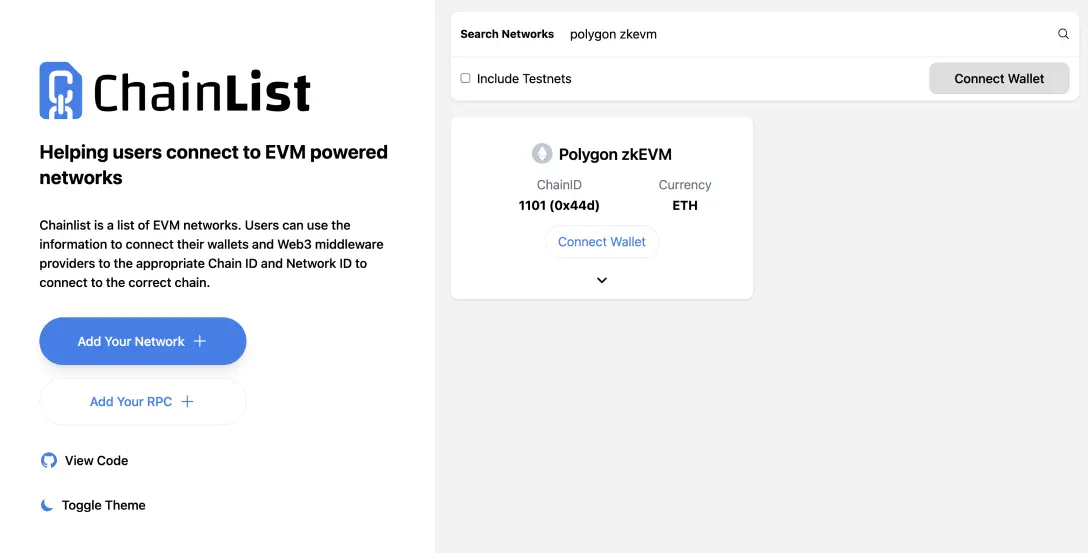
Alternatively, you can automatically add the Polygon zkEVM to your wallet address by using the ChainList application.
- Connect your MetaMask Wallet to theChainListapp.
- Input “Polygon zkEVM” in the search bar at the top of the page.
- Click “Add to MetaMask”and the Polygon zkEVM will be automatically added to your wallet.