Best Monad Wallets: Top Picks for Developers
How To Add The Monad Network To Your Metamask Wallet
Follow these simple steps to connect theMonad Testnetto your MetaMask wallet and start exploring!
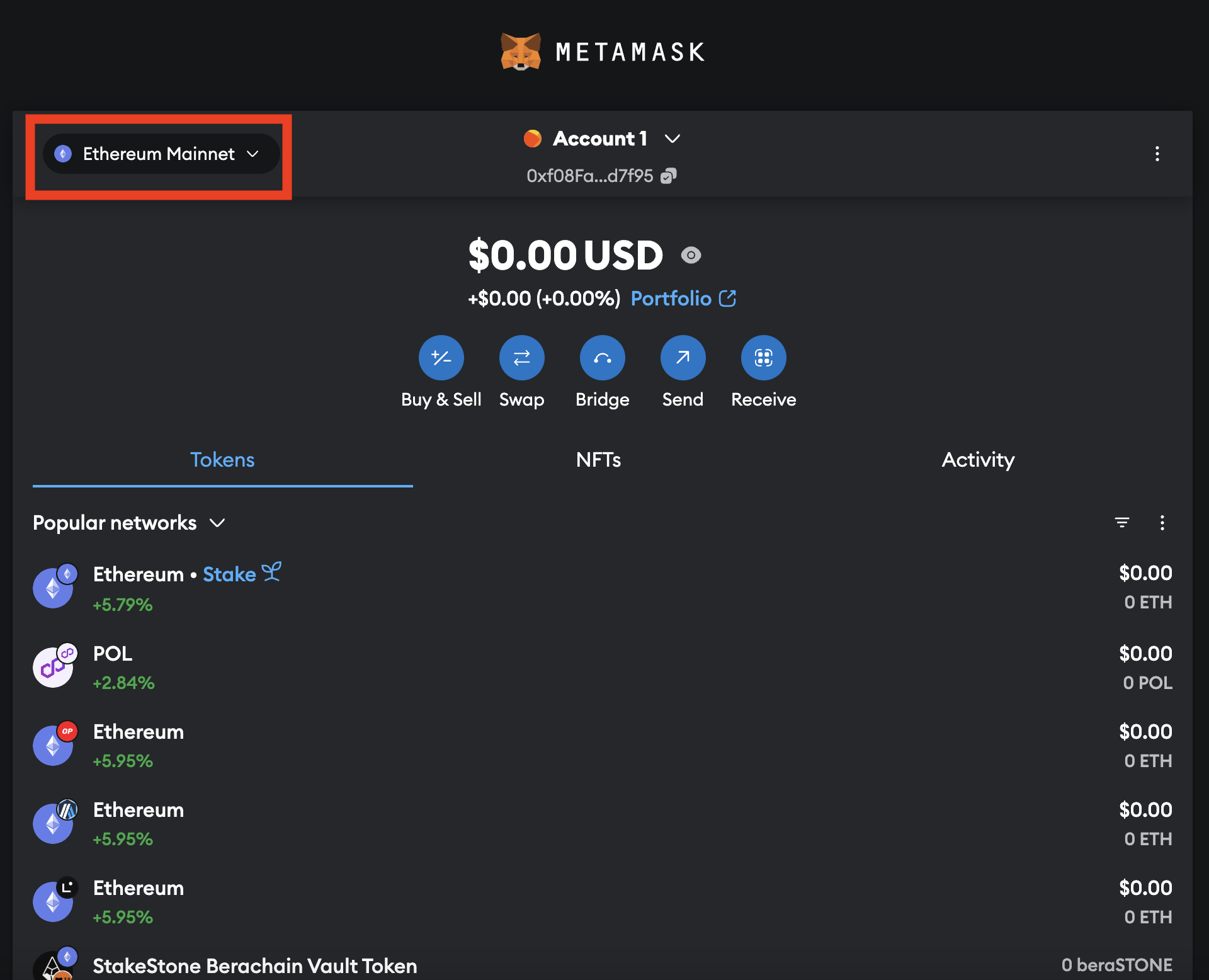
- Open MetaMask
Launch your MetaMask extension or mobile app.
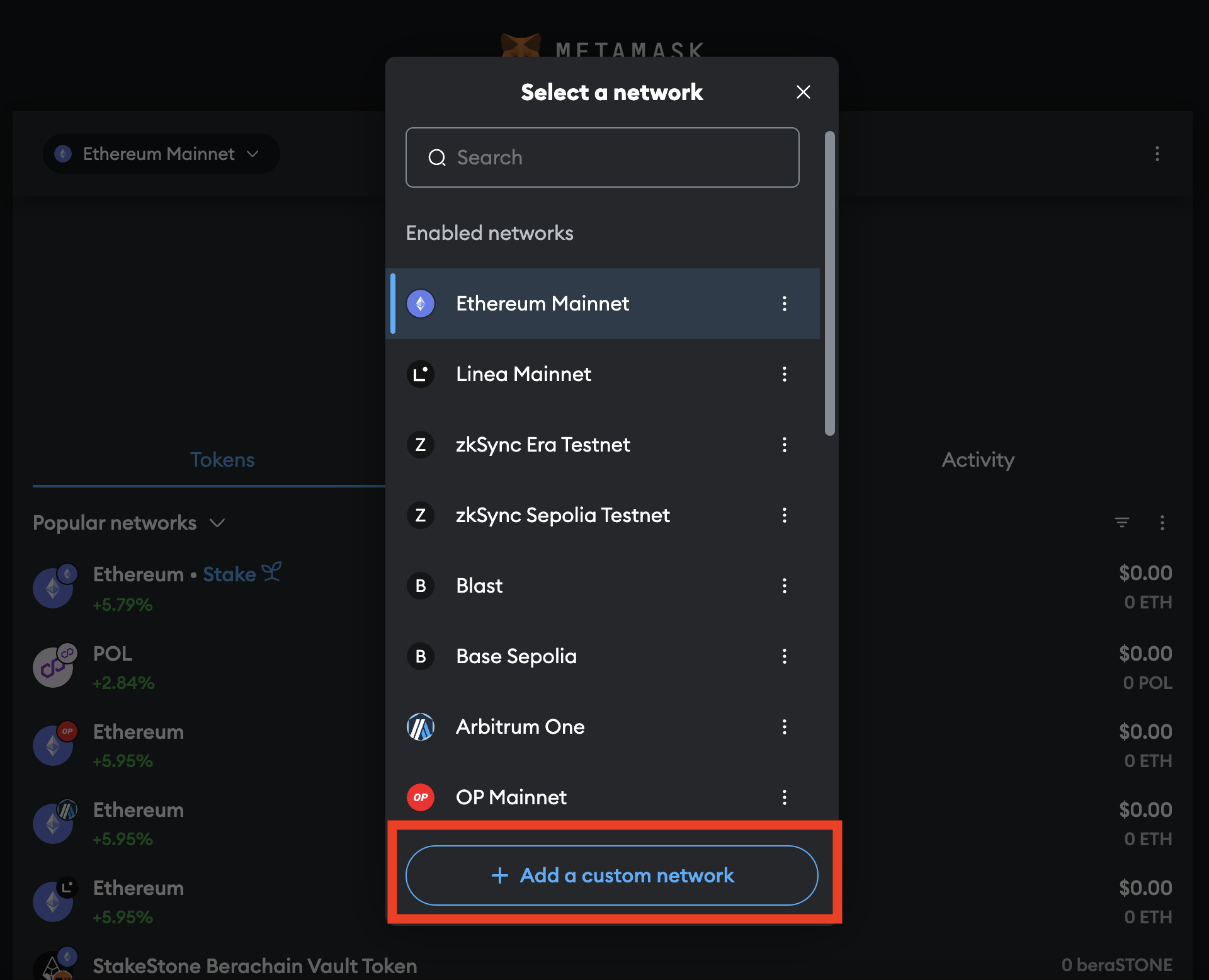
- Click “Add Network”
In the top dropdown, click“Add a Custom Network”(or“Add network manually”if prompted).
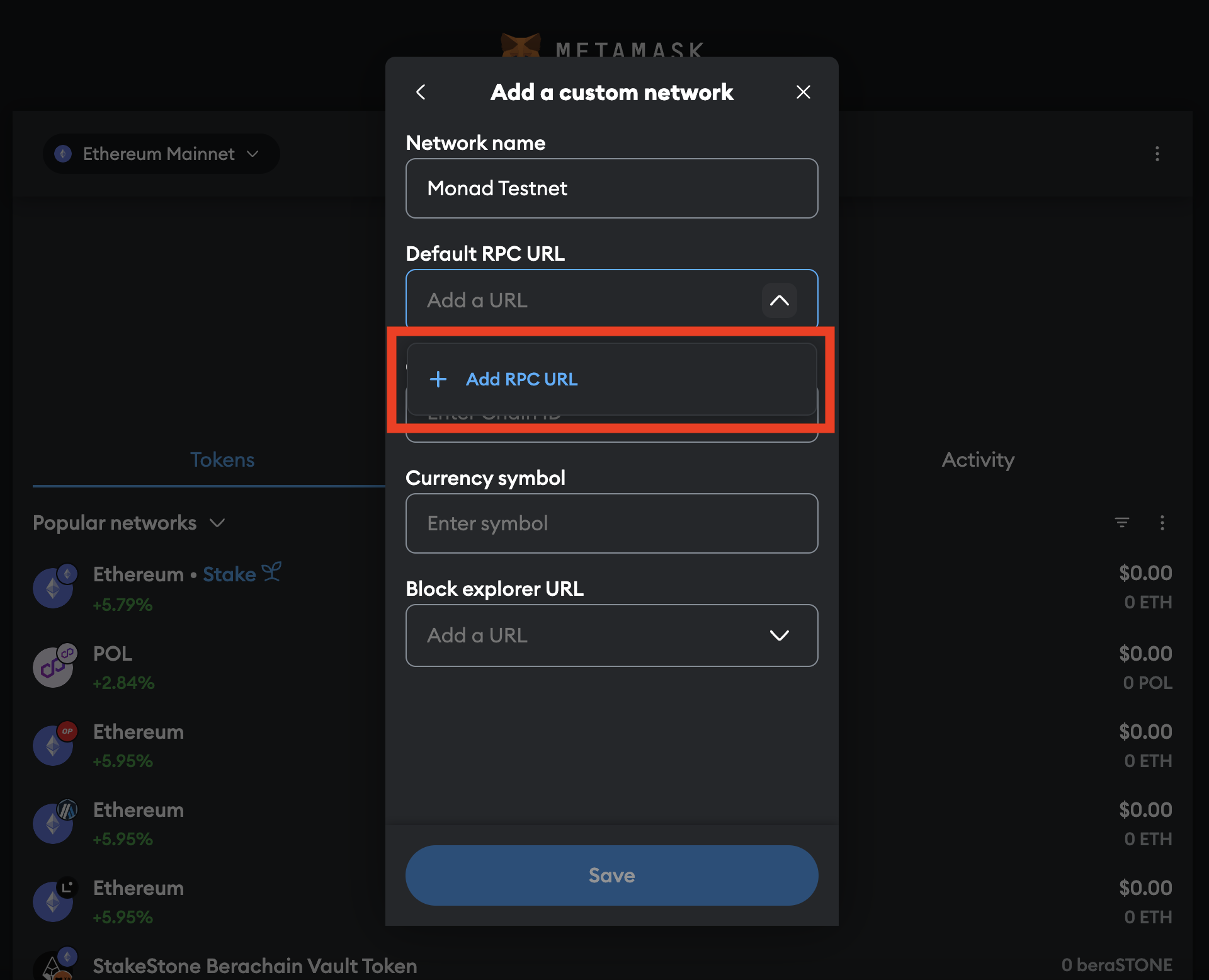
- Enter Network Details
- Network Name: Monad Testnet
- RPC URL:
https://testnet-rpc.monad.xyz - Chain ID:
2001 - Currency Symbol: MON
- Block Explorer URL:
https://testnet.monadexplorer.com
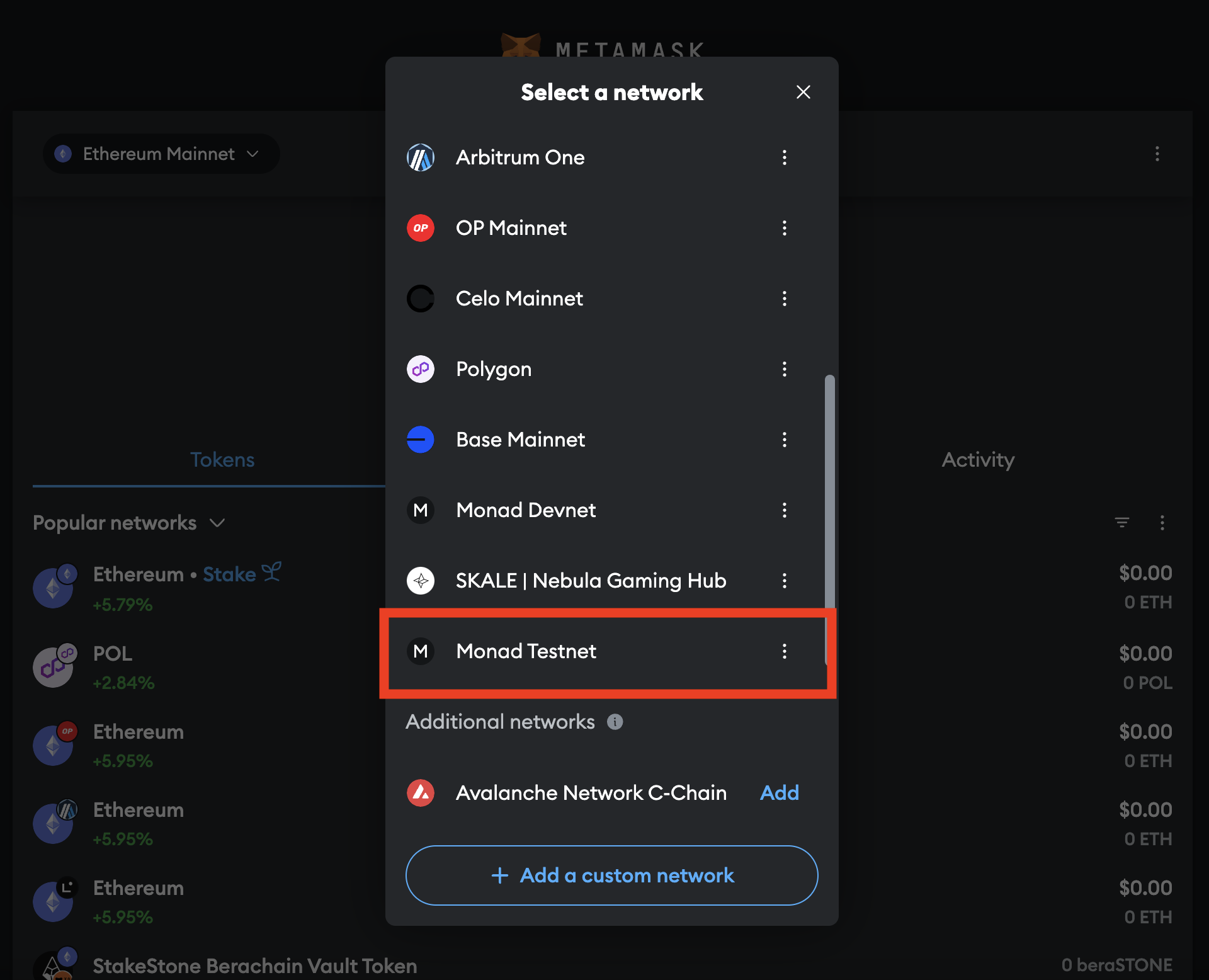
- View Your Assets
Switch to Monad Testnet in MetaMask to see your MON balance (after using theMonad Faucets).