
Best Hyperliquid Wallets: Top Picks for Developers
ℹ Introduction To Hyperliquid Wallets
Wallets are what most people use to handle their digital assets and identity.
How To Add The Hyperliquid Network To Your Metamask Wallet
Hyperliquid runs an EVM-compatible network called HyperEVM. You can connect to it by adding it manually in MetaMask or through ChainList.
Add Hyperliquid Manually to MetaMask
Follow these steps to add Hyperliquid as a custom network:
- Open the MetaMask browser extension.
- Click thenetwork dropdownat the top of the extension.
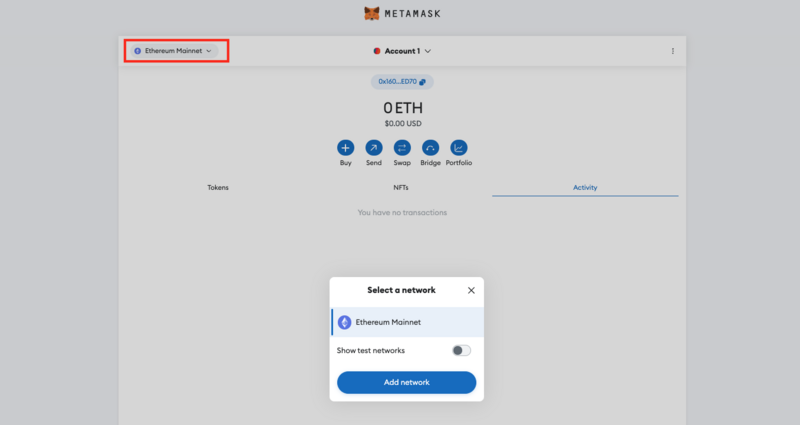
- Click the“Add network”button.
- Select“Add a network manually.”
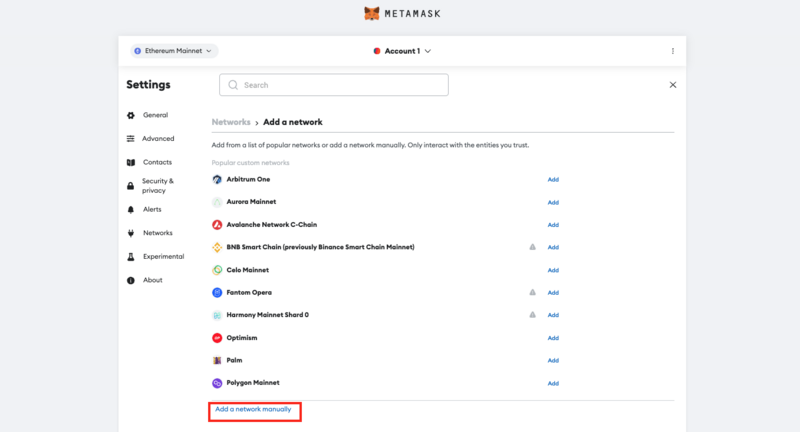
- Enter the following details:
Network Name Hyperliquid RPC URL https://rpc.hyperliquid.xyz/evm Chain ID 999 Currency Symbol HYPE Block Explorer URL https://hyperliquid.cloud.blockscout.com/ - ClickSave, and Hyperliquid will now appear in your network list.
Add Hyperliquid via ChainList
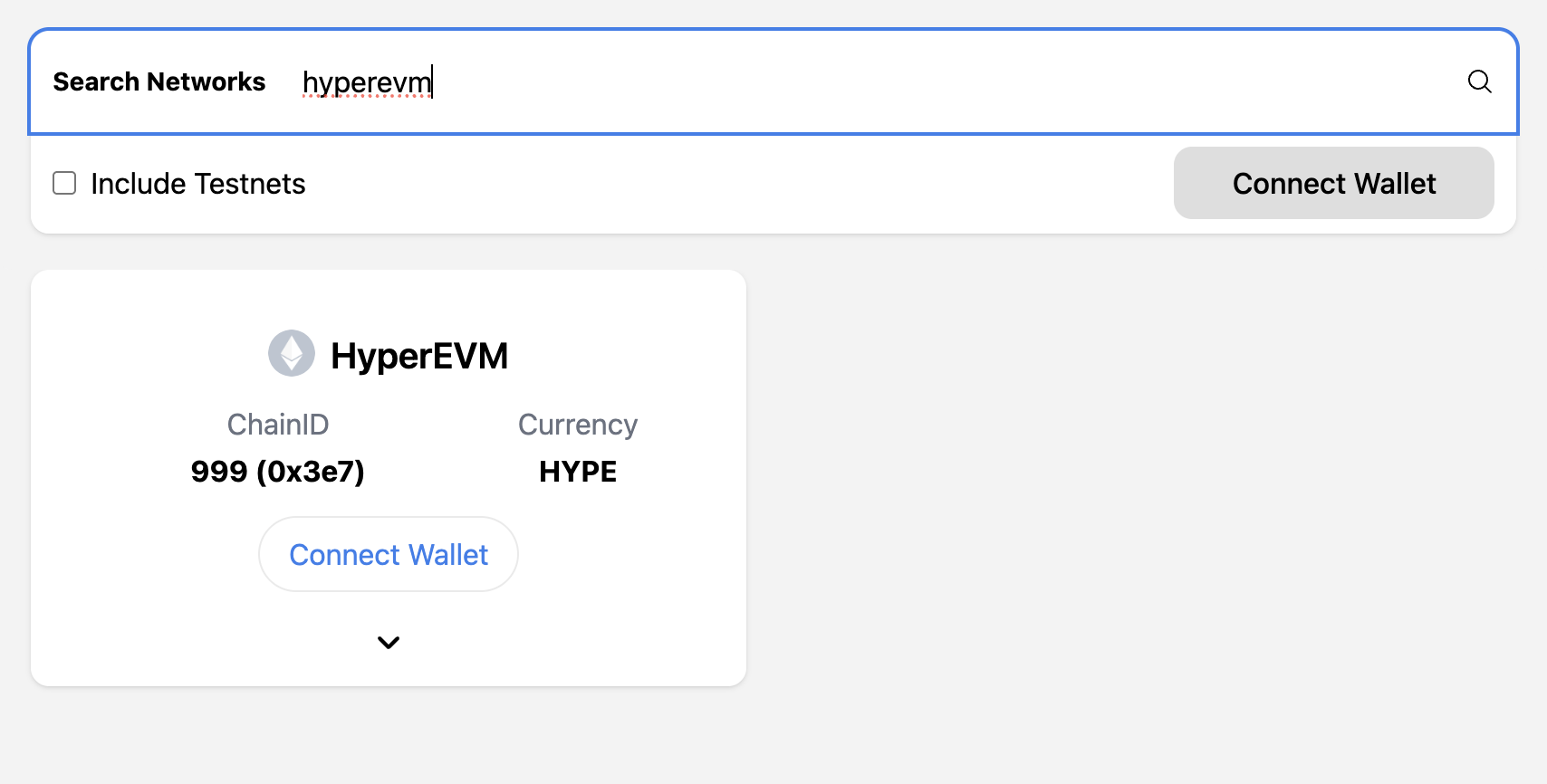
- VisitChainList.org.
- Connect your MetaMask wallet.
- Search for"HyperEVM".
- Click“Add to MetaMask”and approve the prompt.
You're now ready to interact with dApps and contracts on the Hyperliquid network.