
Best Core Wallets: Top Picks for Developers
ℹ Introduction To Core Network Wallets
Wallets are what most people use to handle their digital assets and identity.
How to add Core Network to your Metamask Wallet
Core is an EVM-compatible Layer-1 blockchain that can be added to MetaMask just like any custom network.
Here’s how to connect toCore Mainnet,Testnet1, orTestnet2using MetaMask.
Option 1: Add Core Manually in MetaMask
- Open your MetaMask browser extension.
- Click thenetwork dropdownat the top of the extension.
- Select“Add network”→ then click“Add a network manually.”
For Core Mainnet:
| Field | Value |
| Network Name | Core Blockchain |
| New RPC URL | https://rpc.ankr.com/core |
| Chain ID | 1116 |
| Currency Symbol | CORE |
| Block Explorer URL | https://scan.coredao.org |
| Staking Site | stake.coredao.org |
For Core Testnet1:
| Field | Value |
| Network Name | Core Blockchain TestNet |
| New RPC URL | https://rpc.test.btcs.network |
| Chain ID | 1115 |
| Currency Symbol | tCORE |
| Block Explorer URL | https://scan.test.btcs.network |
| Faucet | Faucet Link |
| Staking Site | stake.test.btcs.network |
For Core Testnet2:
| Field | Value |
| Network Name | Core Blockchain TestNet |
| New RPC URL | https://rpc.test2.btcs.network |
| Chain ID | 1114 |
| Currency Symbol | tCORE2 |
| Block Explorer URL | https://scan.test2.btcs.network |
| Faucet | Faucet Link |
| Staking Site | stake.test2.btcs.network |
Option 2: Add Core Using Chainlist
- VisitChainList.
- In the search bar, type“Core Blockchain”.
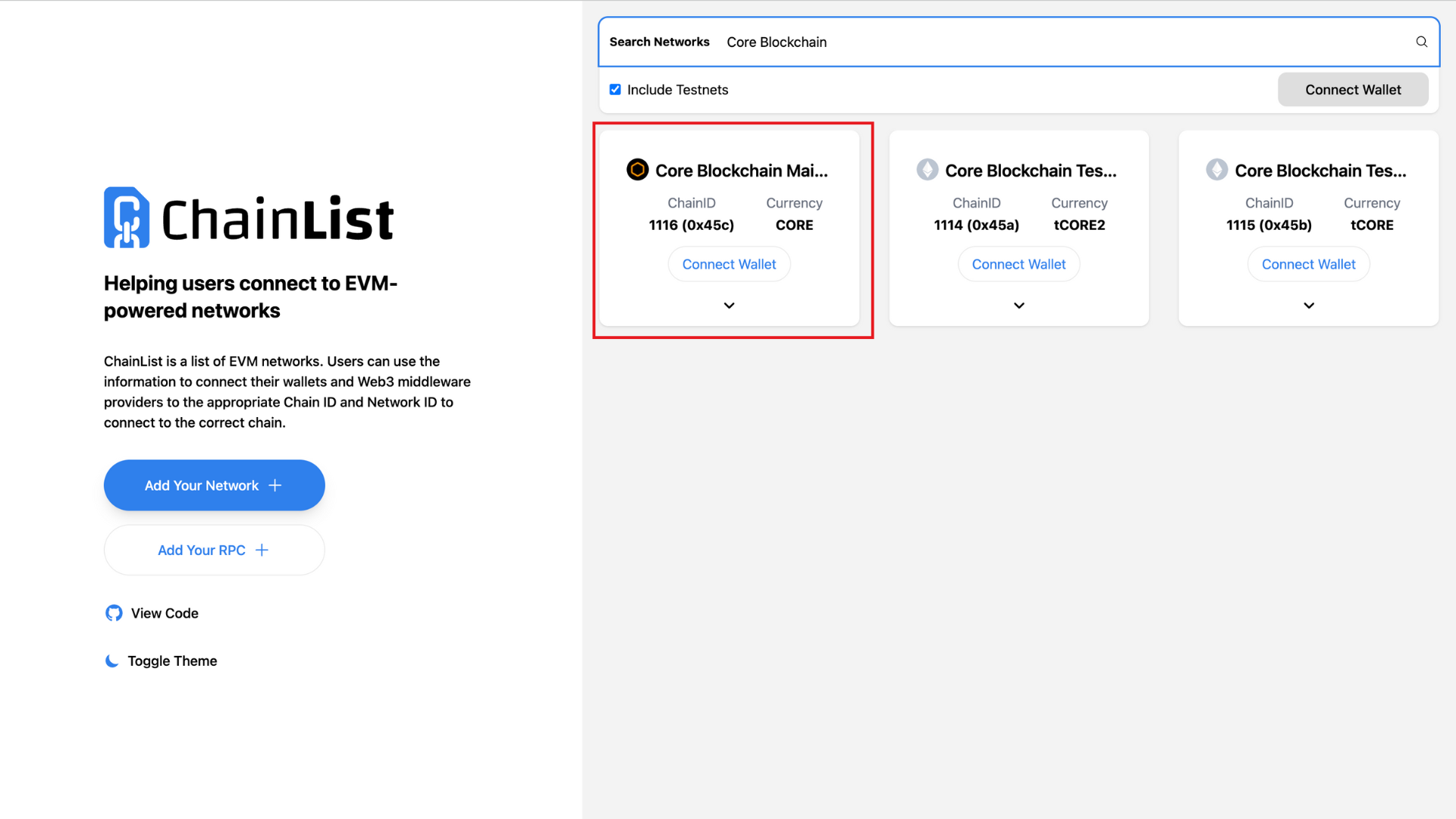
- Toggle“Include Testnets”if you're adding Testnet1 or Testnet2.
- Click“Connect Wallet”and approve the connection in MetaMask.
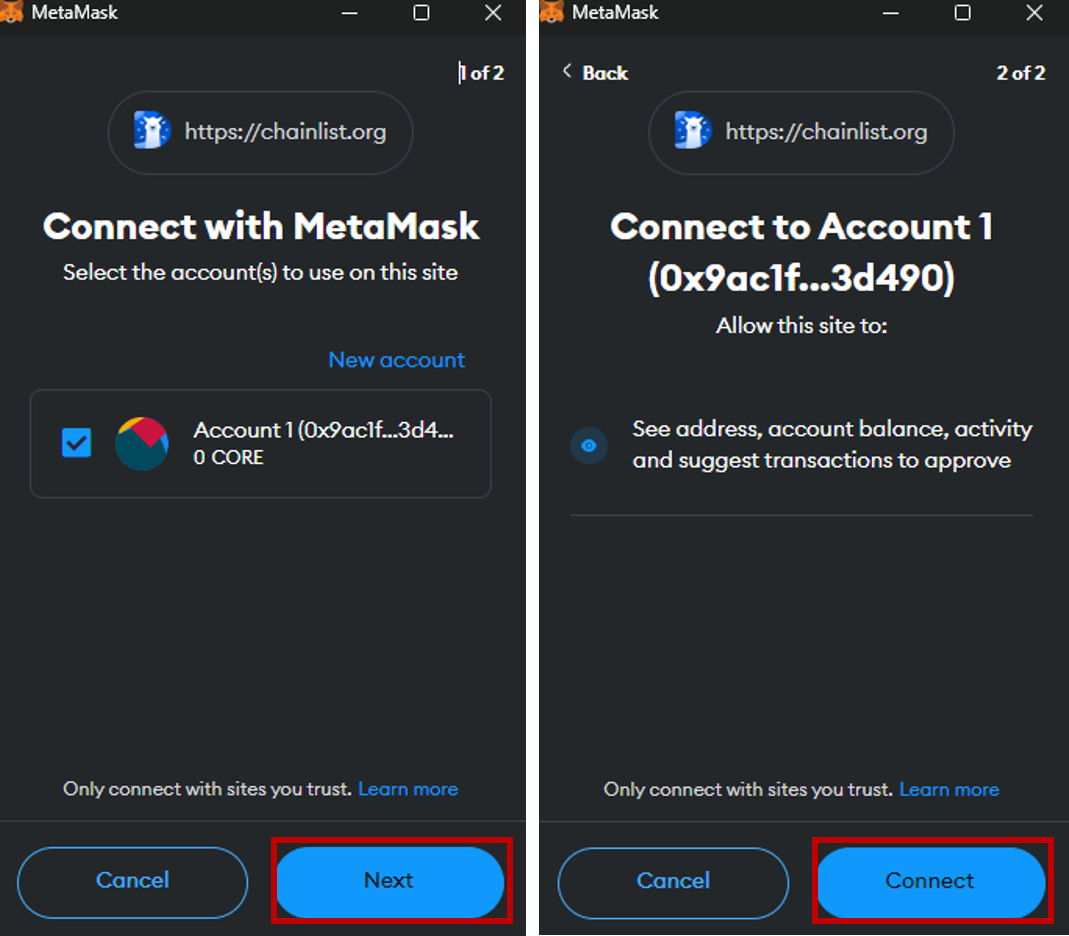
- Double-check the Chain ID and network name to avoid errors.
- Click“Add to MetaMask”and approve the network.
Option 3: Add Core via the Core Explorer
For Mainnet, Testnet1, or Testnet2:
- Visit the relevant explorer:
- Mainnet:scan.coredao.org
- Testnet1:scan.test.btcs.network
- Testnet2:scan.test2.btcs.network
- Scroll to the bottom of the page.
- Click the“Add Core Network”button.
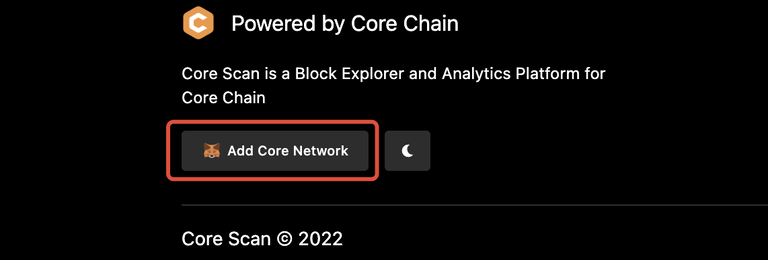
- Confirm the action in your MetaMask extension.
Once added, you’ll seeCorein your network dropdown the next time you open MetaMask.