Best Berachain Wallets: Top Picks for Developers
ℹ Introduction To Berachain Wallets
Wallets are what most people use to handle their digital assets and identity.
How to add Berachain to your Metamask Wallet
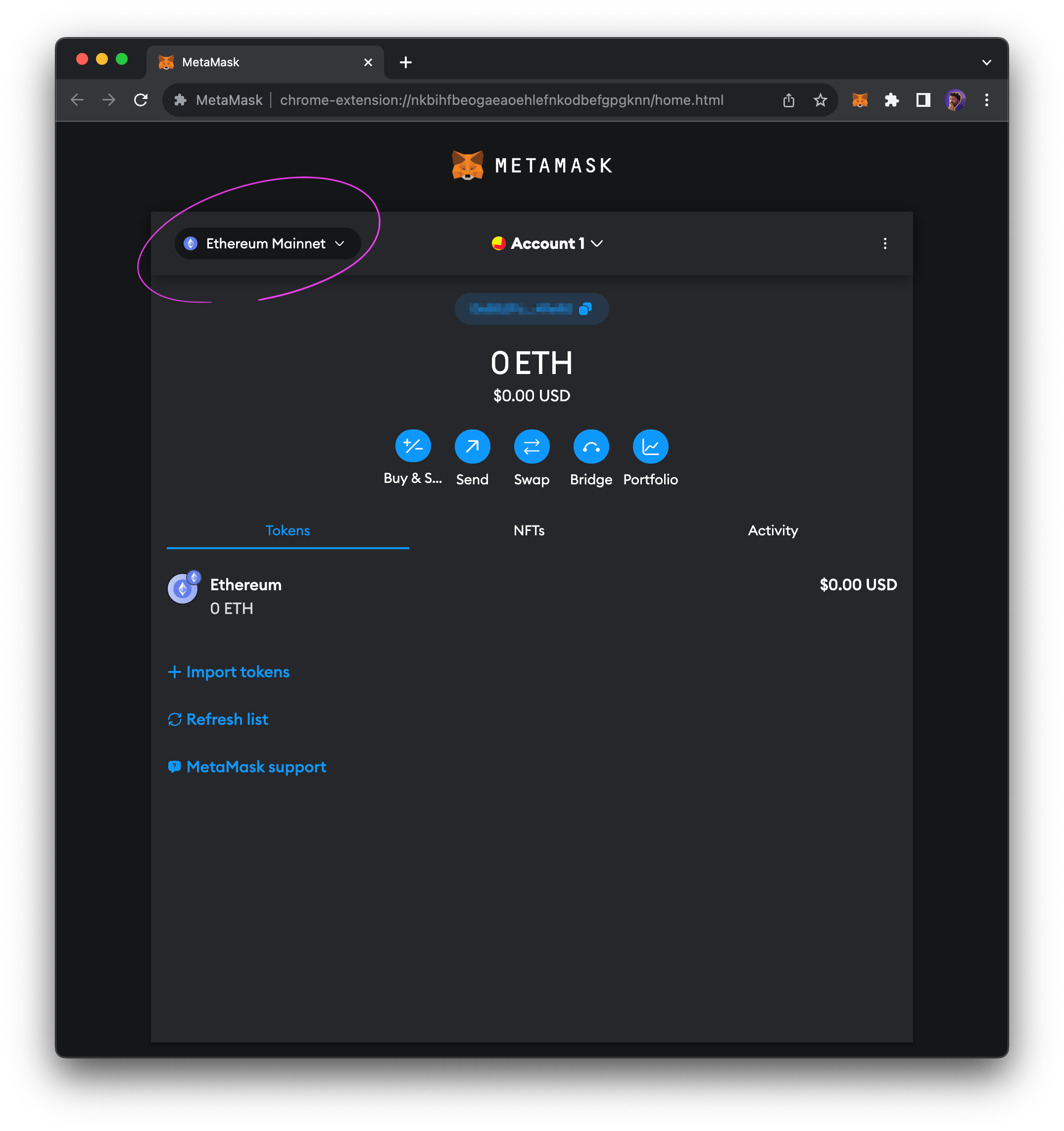
The Ethereum network is the default network on Metamask.
Wallets can connect to various blockchains, with MetaMask setting Ethereum as its default blockchain. In order to connect to Berachain, we'll need to add the network to MetaMask and select it.
To add the network manually, click the drop-down in the top-left of MetaMask.
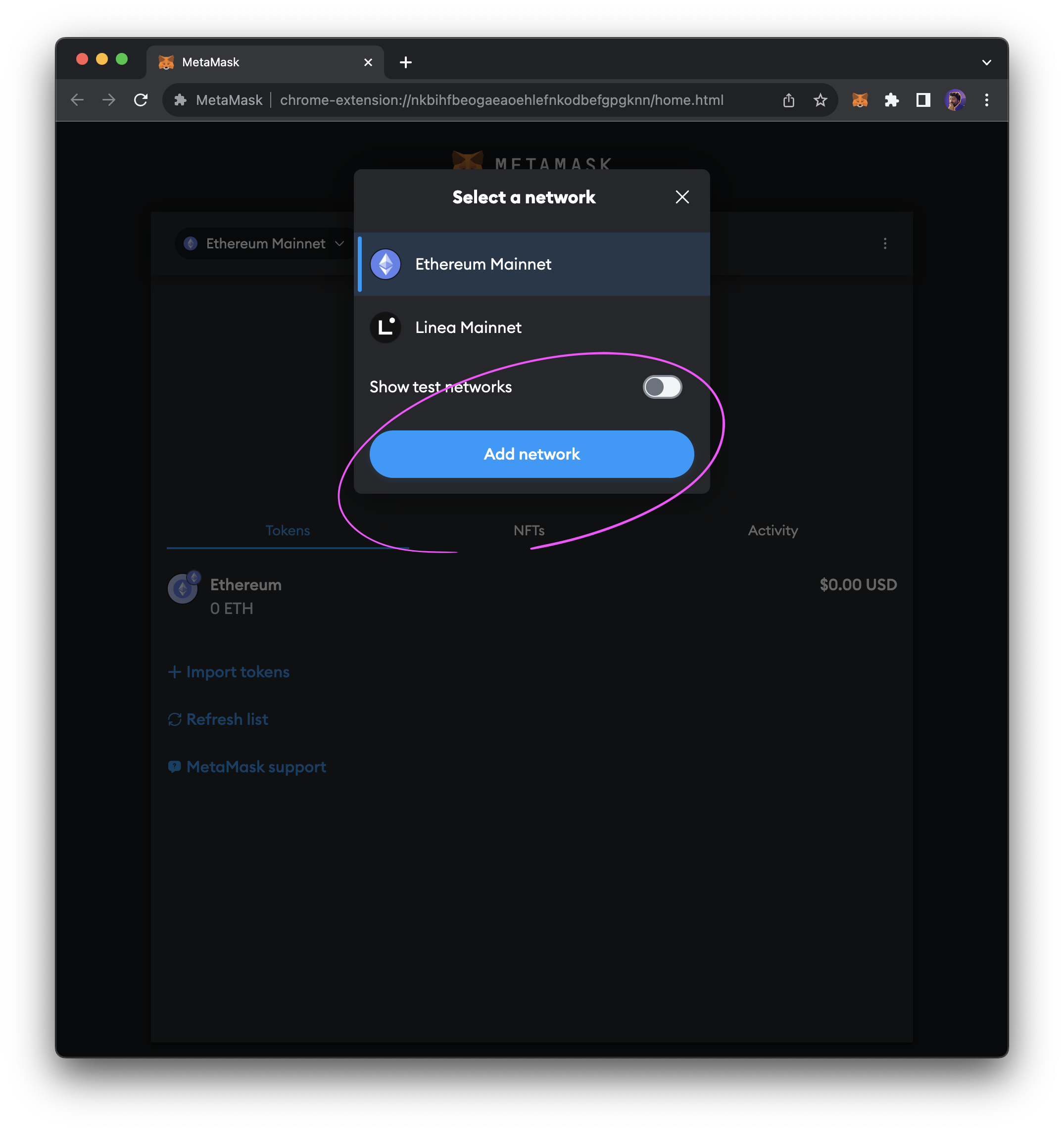
When the modal appears, click theAdd networkbutton.
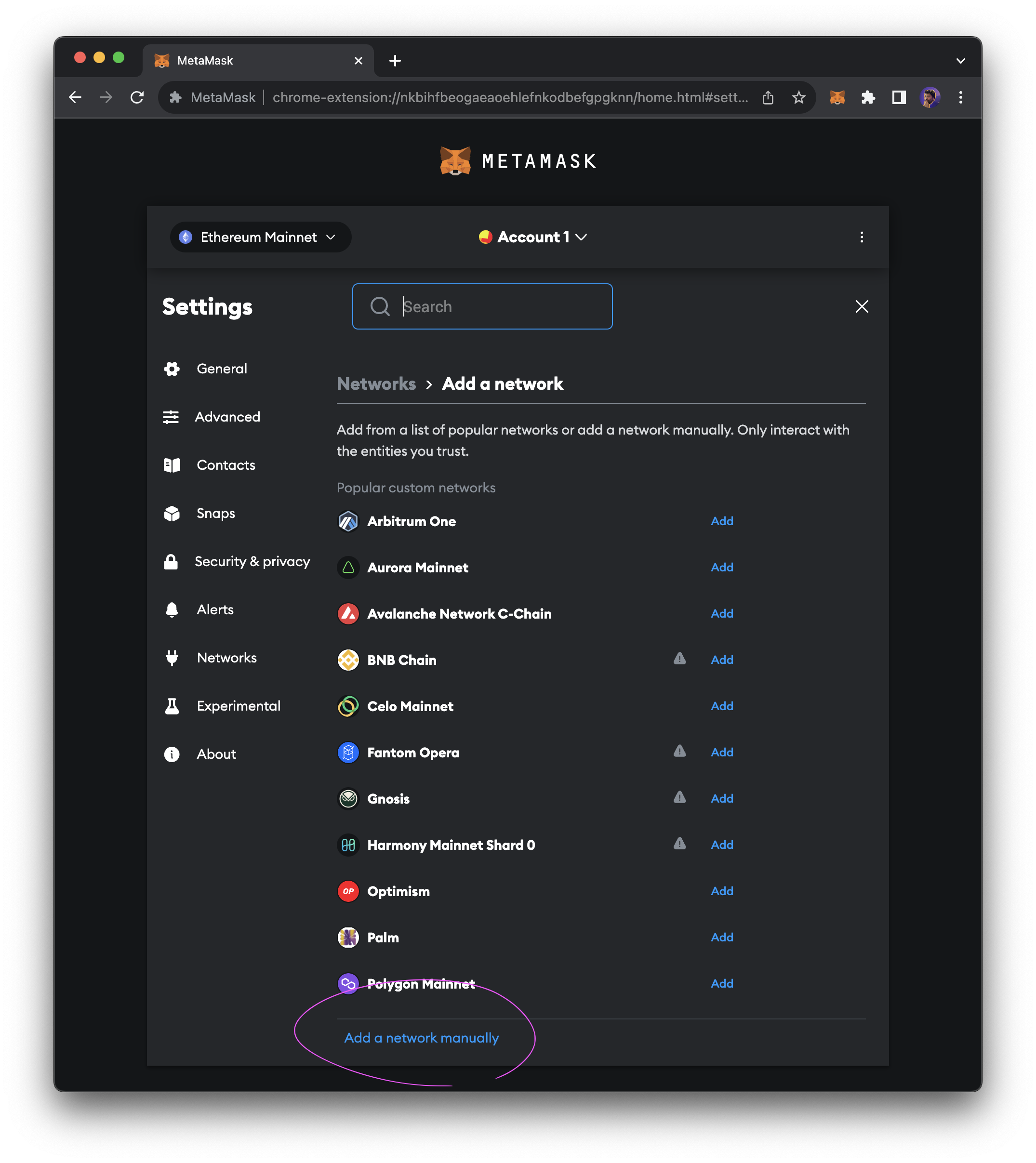
At the bottom of the existing list, clickAdd network manually.
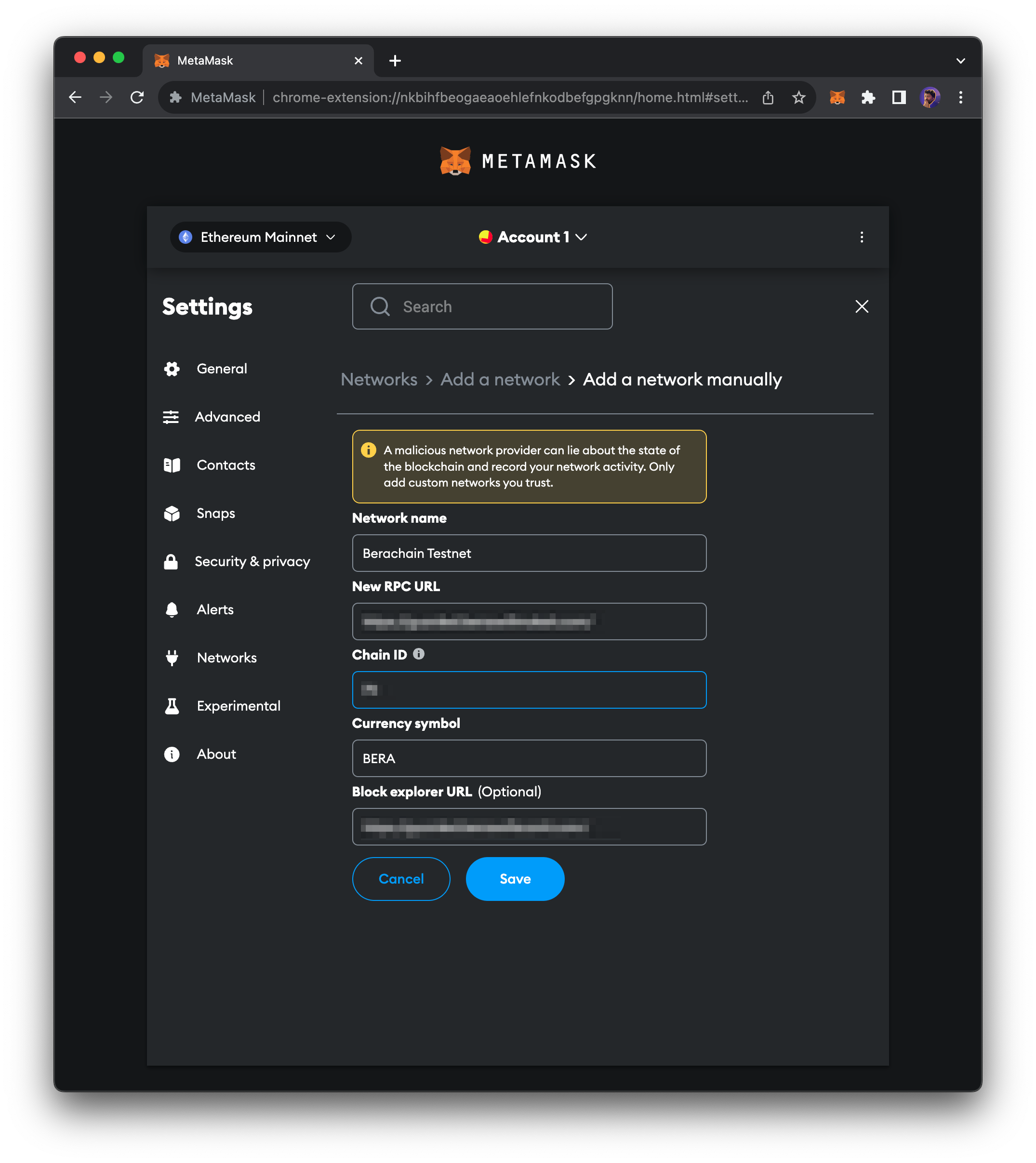
Enter the following details into MetaMask to configure the network and connect to Berachain Testnet.
Once the data is entered correctly, clickSave.
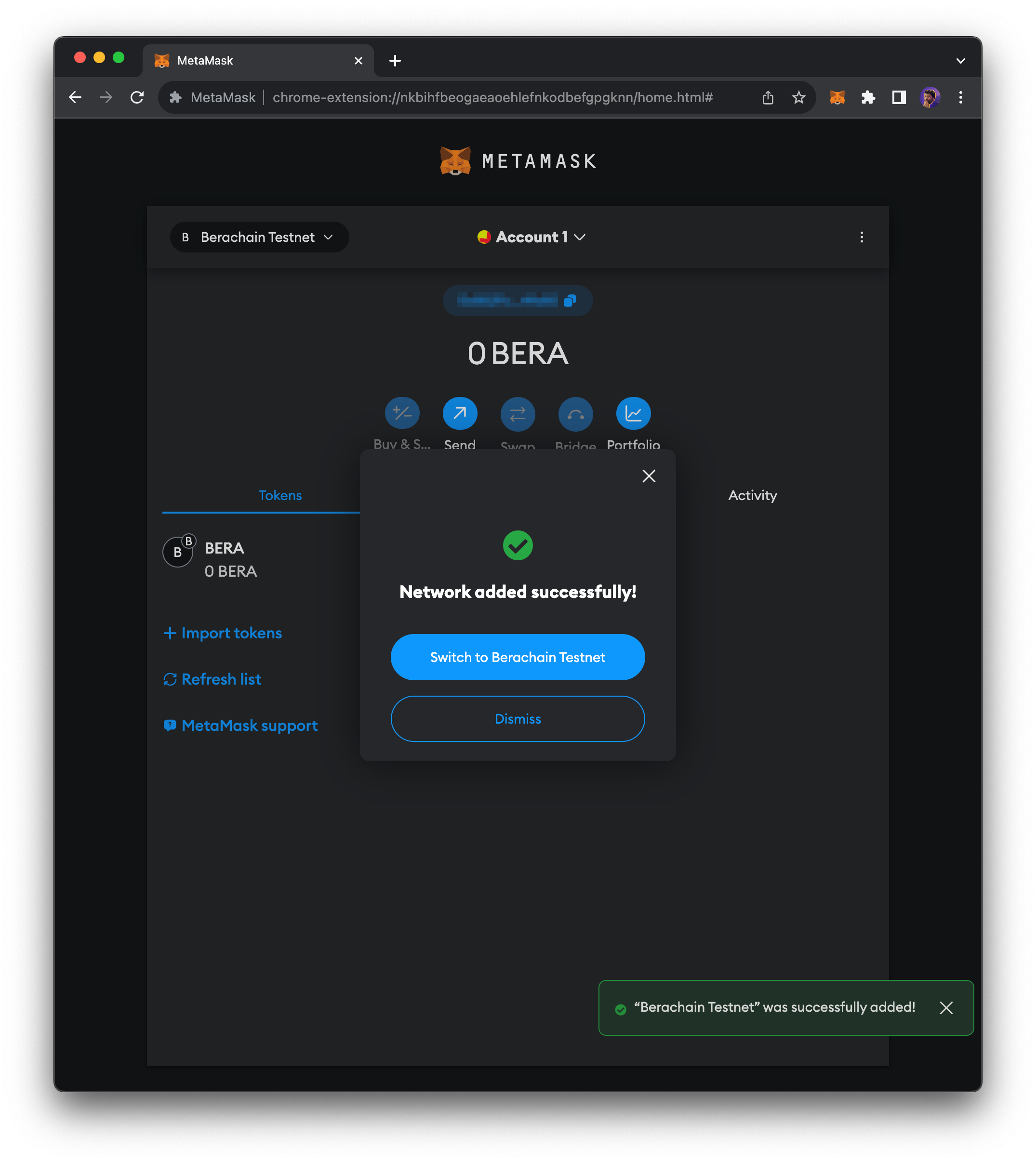
After saving the network configuration, you should be connected to the Berachain Testnet!