> ## Documentation Index
> Fetch the complete documentation index at: https://www.diadata.org/docs/llms.txt
> Use this file to discover all available pages before exploring further.
# Cross-chain Messaging
DIA leverages the **Spectra** bridge (a custom instance of Hyperlane) for relaying cross-chain messages. Learn how it works [here](/docs/reference/architecture/data-delivery) and come back to see it in action in this section.
## Message Flow
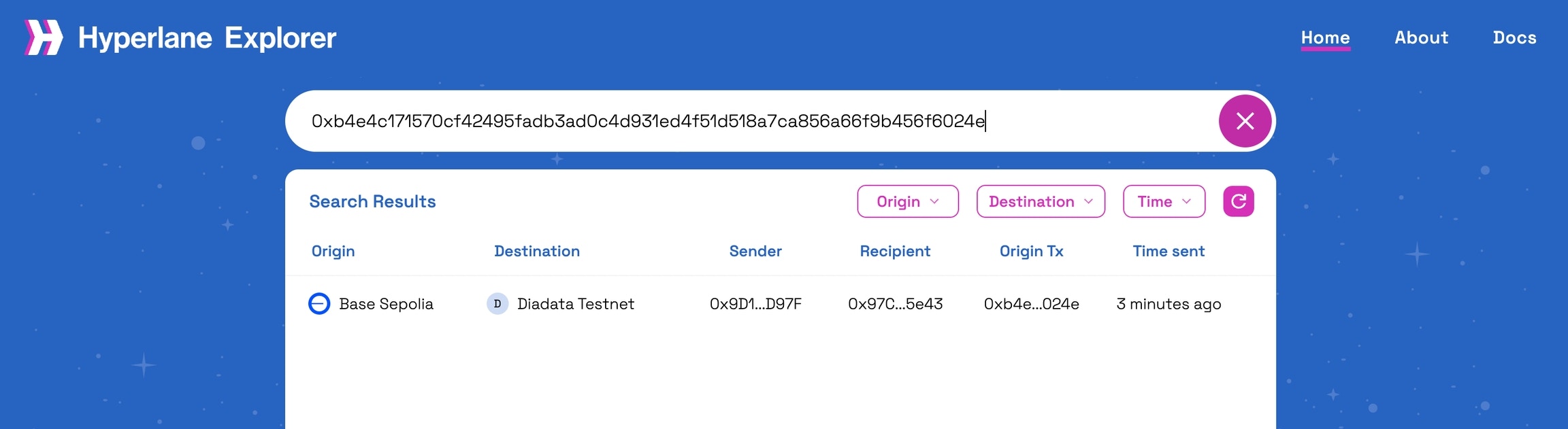
After running the script on a chain of your choice in the [Pull based oracle guide](/docs/how-to-guides/fetch-price-data/pull-based-oracles), you can take the txn hash from your terminal and paste it into the [Hyperlane explorer](https://explorer.hyperlane.xyz/), it will show you the status of the message sent from the source chain (e.g. Base Sepolia):
 Click on the message to see the status on the destination chain (Lasernet). You might receive an error message saying "No chain config found for domain 10640" similar to the one shown below:
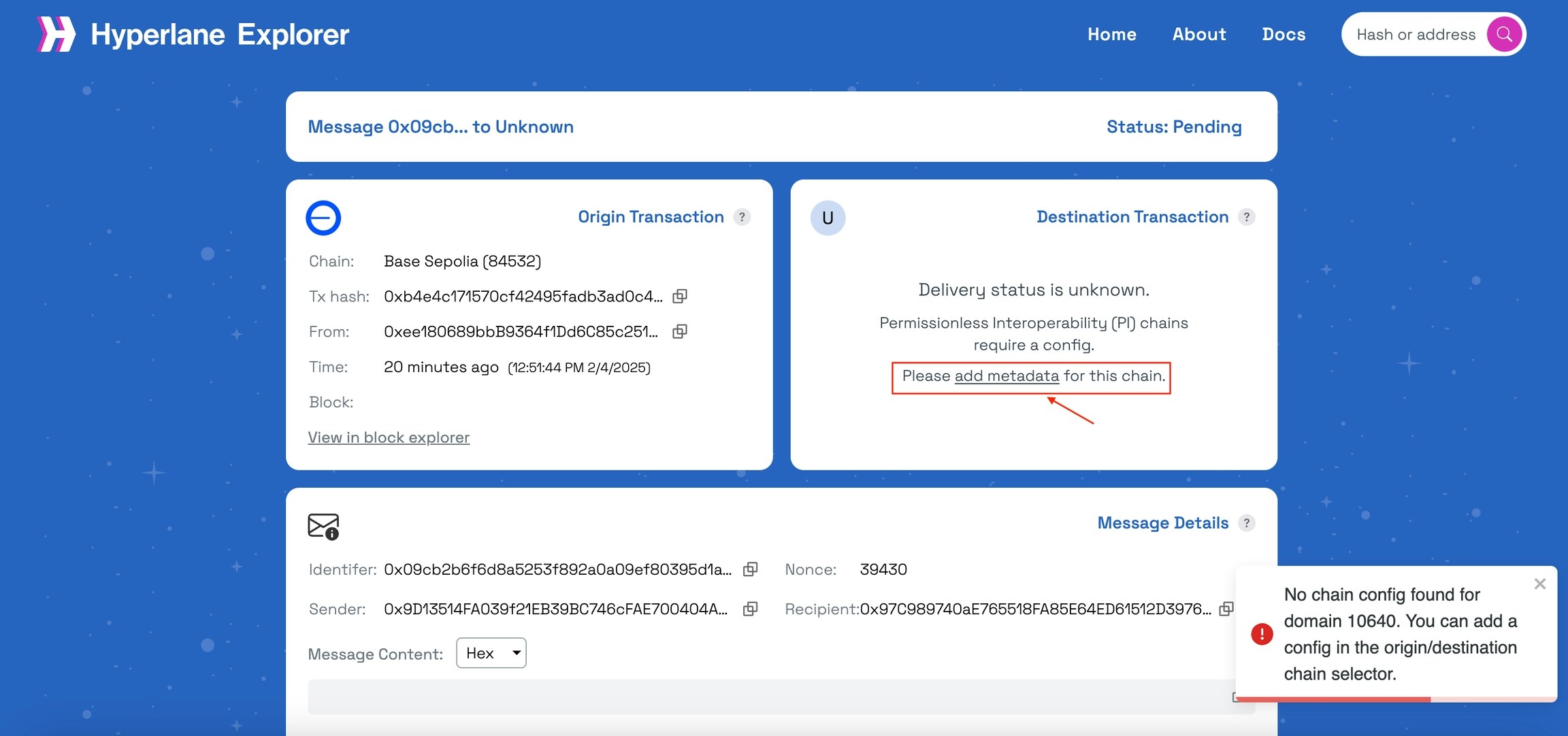 Here’s how to fix it:
* Click on \`add metadata\` button on the Destination Transaction box
* Copy the content in the \`[hyperlane.explorer.yml](https://github.com/diadata-org/Spectra-interoperability/blob/main/hyperlane.explorer.yml)\` file from the Spectra repo that you’ve cloned earlier
* Paste it inside the popup window and click on “+ Add chain”
Here’s how to fix it:
* Click on \`add metadata\` button on the Destination Transaction box
* Copy the content in the \`[hyperlane.explorer.yml](https://github.com/diadata-org/Spectra-interoperability/blob/main/hyperlane.explorer.yml)\` file from the Spectra repo that you’ve cloned earlier
* Paste it inside the popup window and click on “+ Add chain”
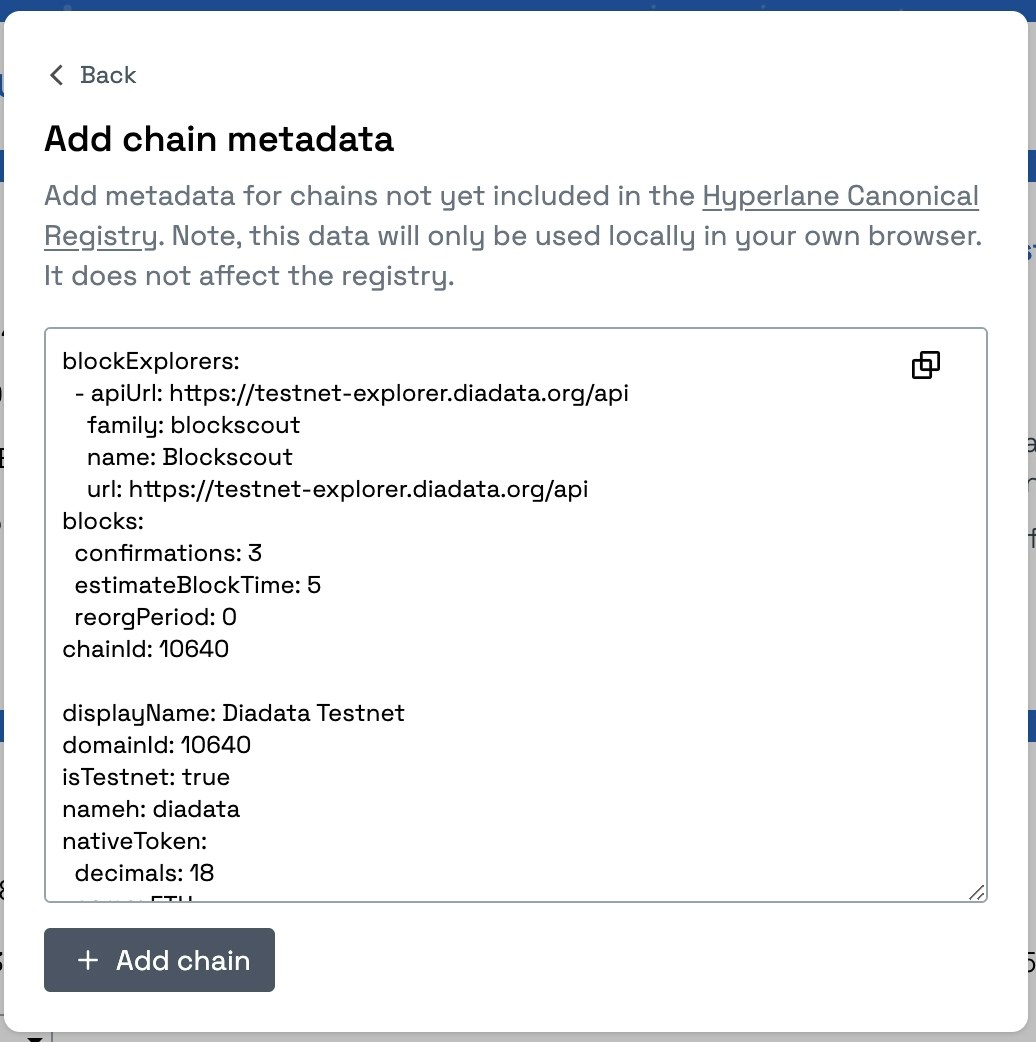 Copy the txn hash from the Destination Transaction window which represents the response hash and paste it into the hyperlane explorer search bar to check the delivery status from DIA lasernet to Base Sepolia.